
5 AI Tools to Boost Your Remote Interview Success
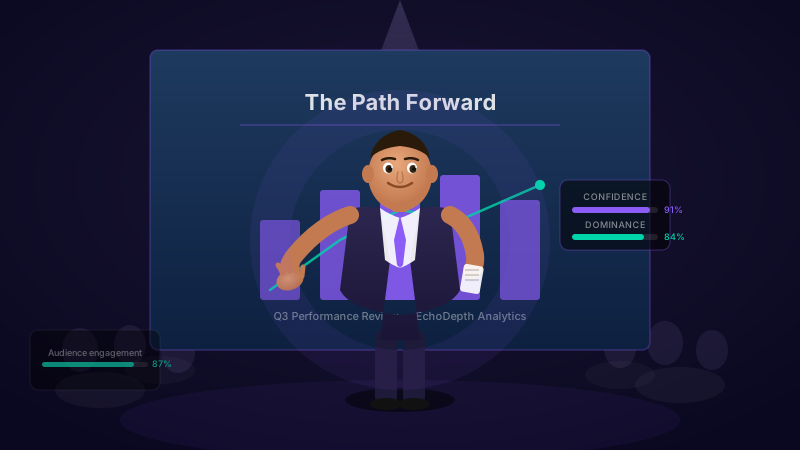
Remote interviews are now standard for 85% of companies, yet most candidates still prepare like it's 2019. The right remote interview success tools can transform your on-camera presence and dramatically increase your chances of landing the job.
MBA, Bayes Business School · Founder, Cavefish · June 2026
Key Takeaways
- •78% of hiring managers notice communication flaws more on video than in-person
- •AI coaching tools provide real-time feedback impossible to get practicing alone
- •Candidates using AI practice are 50% more likely to receive job offers
- •Most tools cost $0-30/month—a fraction of human coaching rates
- •5-10 practice sessions typically show measurable improvement
Why Remote Interviews Require Different Preparation
The shift to remote work has fundamentally changed how companies evaluate candidates. While video interviews offer convenience, they also create unique challenges that traditional interview preparation doesn't address.
A 2024 LinkedIn study revealed that 78% of hiring managers notice communication weaknesses more in video interviews than in-person meetings. The screen creates a magnifying effect—nervous habits, poor eye contact, and filler words become impossible to ignore when you're a talking head in a rectangle.
Companies now use remote interviews
Notice flaws more on video
Remote interviews amplify every flaw because:
- •Eye contact is harder. Looking at the interviewer's face means looking away from the camera, breaking the illusion of connection.
- •Body language is limited. Only your face and shoulders are visible, making every facial expression carry more weight.
- •Technical issues add stress. Worrying about internet stability, audio quality, and background distractions divides your attention.
- •Energy doesn't translate. The natural energy exchange of in-person conversation is muted through a screen.
This is where remote interview success tools powered by AI become essential. They analyze exactly what interviewers see on their screens and provide feedback impossible to get any other way.
What to Look for in Remote Interview Tools
Before diving into specific tools, understand what separates effective AI interview coaches from basic recording apps:
Real-Time vs. Post-Recording Feedback
The best tools provide feedback as you speak, allowing immediate adjustment. Post-recording analysis is useful for review, but real-time coaching creates faster improvement loops.
Comprehensive Metric Analysis
Look for tools that analyze 10+ metrics including speech pace, filler words, vocal energy, eye contact, facial expressions, and body language. Single-metric tools miss the full picture of your communication.
Video Analysis Capabilities
Audio-only tools miss half the story. For remote interviews, you need tools that analyze your visual presentation—how you appear on camera, your background, lighting, and non-verbal cues.
Industry-Specific Practice
Generic questions don't prepare you for role-specific challenges. The best tools offer question banks tailored to your target industry and role level.
Progress Tracking
Improvement requires measurement. Tools that track your metrics over time show concrete progress and identify persistent weaknesses.
The 5 Best AI Tools for Remote Interview Success
After extensive testing and analysis, here are the five most effective AI-powered tools for remote interview preparation in 2026:
1. EchoPitch
Best Overall for Remote Interview Preparation
EchoPitch stands out as the most comprehensive AI coaching platform for remote interview success. Unlike tools that only analyze speech, EchoPitch provides real-time feedback on your complete communication package—voice, body language, facial expressions, and confidence signals.
Key Strengths
- Real-time feedback during practice
- 15+ communication metrics
- Body language and facial analysis
- Industry-specific scenarios
- Progress tracking over time
Best For
- High-stakes interviews
- Executive and senior roles
- Video interview optimization
- Comprehensive improvement
What sets EchoPitch apart is its focus on how you come across on camera—the exact environment of remote interviews. The AI uses advanced facial action coding (FACS) technology to detect micro-expressions that signal confidence or anxiety to interviewers, often before you're consciously aware of them.
EchoPitch also offers unlimited practice sessions with instant feedback, meaning you can iterate rapidly and see improvement within a single practice session. Most users report measurable confidence gains after just 5-7 sessions.
2. Yoodli
Best for Speech Pattern Improvement
Yoodli specializes in speech coaching with a particular focus on eliminating filler words and improving pacing. The platform provides detailed analytics on verbal patterns that undermine your message.
Key Strengths
- Excellent filler word tracking
- Detailed pacing analysis
- AI-generated follow-up questions
- Meeting integration options
Limitations
- • Limited body language analysis
- • Less focus on visual presentation
- • Primarily speech-focused
Yoodli excels at breaking down your speech patterns into actionable insights. If your primary interview challenge is verbal delivery—speaking too fast, using too many filler words, or rambling responses—Yoodli provides focused improvement. The AI generates realistic follow-up questions based on your responses, creating more natural practice conversations.
However, for remote interviews where visual presentation matters equally, Yoodli's limited video analysis means you'll miss feedback on crucial non-verbal elements.
3. Poised
Best for Live Meeting Integration
Poised takes a unique approach by integrating directly with video conferencing platforms to provide real-time coaching during actual meetings—not just practice sessions. This makes it valuable for ongoing communication improvement.
Key Strengths
- Works in live meetings
- Zoom/Teams integration
- Discreet coaching overlay
- Trend analysis over time
Limitations
- • Desktop app required
- • Less structured practice mode
- • May distract during interviews
Poised's live meeting integration is both its greatest strength and potential weakness. While getting real-time coaching during actual conversations is powerful for daily improvement, using it during a high-stakes interview could be distracting. Many users find it most valuable for internal meetings and client calls, then switch to dedicated practice tools before interviews.
The platform provides excellent trend analysis, showing how your communication patterns change over weeks and months of use.
4. Orai
Best for Pronunciation and Clarity
Orai focuses specifically on speech improvement with advanced pronunciation analysis, making it particularly valuable for non-native English speakers or anyone wanting to improve vocal clarity and articulation.
Key Strengths
- Advanced pronunciation feedback
- Clarity and articulation focus
- Structured lesson plans
- Energy and enthusiasm tracking
Limitations
- • No video analysis
- • Less interview-specific content
- • Mobile-first design
Orai's strength lies in its detailed analysis of how you speak rather than what you say. The AI provides word-by-word feedback on pronunciation, identifying specific syllables or sounds that could be clearer. For candidates whose native language isn't English, or anyone concerned about mumbling or unclear speech, this granular feedback is invaluable.
The structured lesson plans also make Orai feel more like a course than a practice tool, which can be helpful for systematic improvement but less flexible for last-minute interview prep.
5. Interview Warmup by Google
Best Free Option for Basic Practice
Google's Interview Warmup is a completely free tool that provides AI-powered feedback on interview responses. While less comprehensive than paid alternatives, it offers solid basic practice with no cost barrier.
Key Strengths
- Completely free
- Industry-specific questions
- Transcript analysis
- No account required
Limitations
- • No real-time feedback
- • No video analysis
- • Limited metrics
- • No progress tracking
Interview Warmup provides excellent value for candidates who want basic practice without any financial commitment. The tool offers questions across multiple fields including data analytics, e-commerce, IT support, project management, and UX design.
However, the lack of real-time feedback, video analysis, and progress tracking means serious candidates will want to supplement with more comprehensive tools, especially for remote interviews where visual presentation matters.
Complete Tool Comparison
Here's how these remote interview success tools compare across key features:
| Tool | Real-Time Feedback | Video Analysis | Body Language | Pricing | Best For |
|---|---|---|---|---|---|
| EchoPitch | Free-$19/mo | Complete preparation | |||
| Yoodli | Limited | No | Free-$15/mo | Speech coaching | |
| Poised | Limited | Basic | Free-$12/mo | Live meetings | |
| Orai | No | No | Free-$10/mo | Pronunciation | |
| Interview Warmup | No | No | No | Free | Basic practice |
How to Choose the Right Tool for Your Needs
The best remote interview success tools depend on your specific challenges and goals. Here's a decision framework:
Choose EchoPitch If...
- •You want comprehensive analysis of speech AND visual presentation
- •You're preparing for high-stakes or executive-level interviews
- •You need real-time feedback to maximize limited practice time
- •Video interview performance is your primary concern
Choose Yoodli If...
- •Your main challenge is filler words and pacing
- •You want AI-generated follow-up questions
- •You're already confident in your on-camera presence
Choose Poised If...
- •You want coaching during actual meetings, not just practice
- •You have many video calls and want ongoing improvement
- •Long-term communication development is your goal
Choose Orai If...
- •Pronunciation or clarity is your primary concern
- •English is not your native language
- •You prefer structured lesson plans over free-form practice
Choose Interview Warmup If...
- •Budget is your primary constraint
- •You're preparing for entry-level positions
- •You just need basic practice with industry questions
Maximizing Your Practice Sessions
Regardless of which tool you choose, these strategies will help you get maximum value from your AI interview practice:
Recreate Your Interview Environment
Practice in the same location you'll use for actual interviews. Use the same device, camera angle, and lighting. Dress professionally—research shows it affects your mental state and performance even when practicing alone.
Follow a Structured Practice Schedule
Week 1 (Foundation): 3-4 sessions focusing on general behavioral questions. Establish baseline metrics and identify primary weaknesses.
Week 2 (Targeted): 3-4 sessions focusing on your weakest areas. Review analytics after each session to track improvement.
Week 3 (Polish): 2-3 sessions with full mock interviews. Mix question types and aim for consistent performance across all metrics.
Focus on One Improvement at a Time
Trying to fix everything simultaneously is overwhelming. Each session, choose one primary focus: reducing filler words, improving eye contact, slowing your pace, or structuring responses better. Once that metric improves, shift focus to the next priority.
Review Your Progress Data
Don't just practice—analyze. Tools like EchoPitch provide detailed metrics over time. Look for patterns: Do certain question types trigger more filler words? Does your confidence drop mid-interview? Data reveals insights you'd never notice yourself.
Pro tip: Record yourself in practice sessions and review the footage before reading AI feedback. Try to identify the same issues the AI catches. This builds self-awareness that translates to real interviews where you won't have AI assistance.
The ROI of Remote Interview Preparation
Investing in remote interview success tools provides measurable returns:
Higher offer rate with systematic practice
More sessions vs. human coaching
Less cost than human coaches
Consider the math: A $30/month AI tool provides unlimited practice. A single successful job placement—especially at senior levels—can mean tens of thousands of dollars in additional salary. The return on investment is extraordinary.
Human interview coaches charge $200-500 per session and offer 1-2 sessions per week at most. AI tools provide unlimited practice, meaning you can complete 5-10x more sessions in the same timeframe. For skill building through repetition, AI tools deliver superior results at a fraction of the cost.
Common Remote Interview Mistakes (and How AI Tools Fix Them)
AI interview tools excel at catching common remote interview mistakes that candidates don't realize they're making:
The Screen-Stare Problem
Most candidates look at the interviewer's face on screen rather than the camera. This breaks eye contact from the interviewer's perspective—they see you looking down or to the side. AI tools track your eye position and alert you when you're not camera-focused.
Energy That Doesn't Translate
Video compresses energy. What feels enthusiastic in person may appear flat on screen. AI tools measure vocal energy and facial expressiveness, helping you calibrate for the medium.
Background Distractions
Candidates often don't notice visual distractions in their backgrounds until reviewers point them out. Practice tools show you exactly what interviewers see and flag potential issues.
Pacing Anxiety
Nervousness typically causes speaking too fast—sometimes 50% faster than your normal pace. Real-time WPM feedback helps you maintain the optimal 120-150 words per minute range.
The Filler Word Avalanche
Under pressure, filler words multiply. Most candidates don't realize they say "um" or "like" 10+ times per minute until AI provides the count. Awareness is the first step to reduction.
Beyond Practice: Optimizing Your Remote Interview Setup
While remote interview success tools improve your communication skills, don't neglect the technical fundamentals:
Lighting
Position your primary light source in front of you, not behind. Natural light from a window is ideal. Avoid overhead lighting that creates shadows under your eyes. Ring lights provide affordable, consistent illumination.
Camera Position
Your camera should be at eye level. Stack books under your laptop or use a monitor stand. Looking down at a camera is unflattering; looking up appears submissive. Eye level projects confidence.
Audio Quality
Poor audio is more distracting than poor video. Use a dedicated microphone or quality headset. Test your setup beforehand and have a backup plan (phone call) if technology fails.
Internet Stability
Use a wired connection if possible. Close bandwidth-heavy applications. Have your phone hotspot ready as backup. Brief freezes can derail your train of thought and the interviewer's attention.
Background
Choose a neutral, professional background. Avoid busy patterns, personal photos, or anything controversial. Bookshelves and plants are safe choices. Virtual backgrounds are acceptable but can appear artificial—test thoroughly.
Start Your Remote Interview Preparation Today
The candidates who succeed in remote interviews aren't necessarily the most qualified—they're the best prepared. With 85% of companies using video interviews and 78% of hiring managers noticing flaws more on camera, preparation is no longer optional.
AI-powered remote interview success tools provide the feedback and practice volume impossible to achieve any other way. Whether you choose EchoPitch for comprehensive analysis, Yoodli for speech coaching, or start with free options, the key is to begin practicing systematically.
Your next remote interview could determine your career trajectory. Prepare like it matters—because it does.
Ready to Ace Your Remote Interview?
EchoPitch analyzes your speech, body language, and confidence in real-time—showing you exactly what remote interviewers see on their screens.
Get daily tips on Reddit
Join our community for presentation tips, Q&A, and support.
Sources: LinkedIn hiring manager survey 2024; Remote work statistics 2026; Meta-analysis on interview coaching effectiveness; Research on video communication and perception bias.