
Quick Answer
Online meeting anxiety feels worse than in-person presenting because of self-view, degraded facial feedback, and technical uncertainty— around 70% of remote workers report virtual presentations feel more anxiety-provoking than equivalent in-person ones. Seeing your own face while speaking creates continuous self-monitoring impossible in person, effectively adding a second evaluative audience. Facial feedback is degraded because expressions freeze, video lags, and other cameras are often off, so the brain reads the missing social signal as threat-relevant uncertainty. Technical failure adds a category of anxiety that doesn't exist when presenting physically, and camera eye contact is cognitively unnatural since you look at a lens while faces appear below it. Reduce all of this by hiding self-view in your video settings, looking directly at the camera lens rather than the screen, testing your technology a full 10 minutes before you start rather than 30 seconds, slowing your pace more than feels necessary, and using chat or reactions to create real engagement instead of one-directional broadcast.
Online Meeting Anxiety: Why Zoom and Teams Feel Worse
Virtual presentations feel more anxiety-provoking than in-person for most people — even though the audience is physically further away. Here's the counterintuitive reason why, and what adjustments work.
MBA, Bayes Business School · Founder, Cavefish · May 2026
of remote workers report that online presentations feel more anxiety-provoking than equivalent in-person presentations — despite (or because of) the apparent reduction in audience proximity.
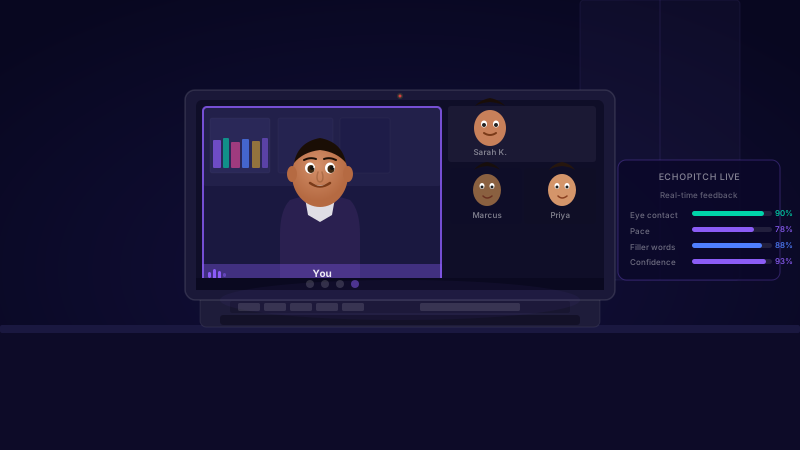
Why do online meetings feel more anxiety-provoking than in person?
Self-view in video calls creates continuous self-monitoring impossible in person. Facial feedback is degraded — expressions freeze, audience video is often off. Technical failure is a new failure mode. Camera eye contact is cognitively unnatural. Together these amplify the anxiety of speaking to a group.
Why virtual feels harder than in-person
Several features of video conferencing create anxiety triggers that don't exist in equivalent in-person situations:
Self-view creates a feedback loop
Seeing your own face while presenting activates continuous self-monitoring that is impossible in person. You watch yourself as you speak — creating a second evaluative audience (yourself) on top of the actual audience. Research shows hiding self-view measurably reduces anxiety.
Facial feedback is degraded
In person, you read micro-expressions, nodding, and body language continuously. On video, expressions freeze at bad moments, lag distorts timing, and audience video is often turned off. The absence of readable social feedback is interpreted by the amygdala as threat-relevant uncertainty.
Technical failure is a salient threat
In-person presentations don't fail due to internet connection. The additional failure mode of technology creates a category of anxiety that doesn't exist when presenting physically.
Camera eye contact is cognitively unnatural
Making eye contact requires looking at a camera lens while faces appear below it on screen. This violates the social-cognitive rules of eye contact and creates a constant low-level dissonance that adds cognitive load.
Adjustments that make a real difference
Hide self-view immediately
In Zoom: right-click your video thumbnail and select 'Hide Self View'. In Teams: the equivalent is available under video settings. This single change removes continuous self-monitoring from the cognitive load of presenting.
Look at the camera lens, not the screen
Stick a small coloured dot or arrow on your monitor pointing at the camera lens. Train yourself to look at the dot when making 'eye contact'. This is uncomfortable at first and worth practising before a real session.
Test tech 10 minutes before, not 30 seconds
Technical anxiety before virtual presentations is largely anticipatory — 'what if something goes wrong'. Running a full tech check 10 minutes before removes the uncertainty and eliminates that anxiety category.
Slow down more than feels necessary
Video compression and lag make fast speech harder to follow. Aim for a pace that feels slightly too slow — it will read as measured and clear to the audience.
Use chat and reactions actively
Asking for responses in chat ('drop a yes or no in chat if this applies to you') creates audience engagement, provides readable feedback, and shifts the presentation from one-directional broadcast to interactive exchange.
Practice privately, build real confidence
EchoPitch gives you private AI feedback on confidence, pace, and delivery — no audience, no judgement. 5 sessions, paid once. No subscription.
Try EchoPitch →