
Quick Answer
The most important presentation tips for beginners:identify one key message before building slides, structure your content using the rule of three (three main points, three examples, three sections), and open with a hook instead of "Hi, my name is..." since you have about 30 seconds to capture attention. Keep slides simple — one idea per slide, six words maximum per bullet, images over text. Practise out loud while standing, not silently in your head, and record yourself to catch filler words and rushed pacing. Speak slower than feels natural, aiming for 120-150 words per minute, and pause after key points. If you make a mistake, pause, breathe, and correct it simply — audiences rarely notice and are rooting for you to succeed. Close with a clear call to action rather than trailing off. Presenting is a skill built through repetition, not an innate talent.
TL;DR: Beginner's Quick Checklist
- One message: If they remember one thing, what should it be?
- Rule of three: Three main points, three examples, three sections
- Strong opening: Skip "Hi, my name is..." — start with a hook
- Simple slides: 6 words max per bullet, one idea per slide
- Practice out loud: Standing up, speaking every word, recording yourself
- Slow down: Aim for 120-150 WPM, pause after key points
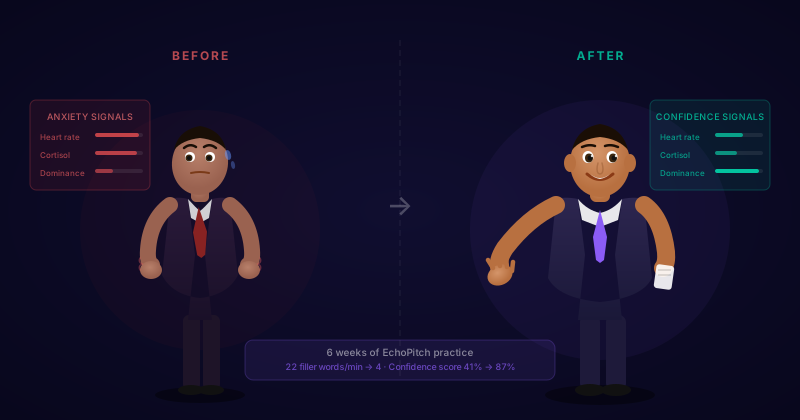
Everyone starts somewhere. If you're about to give your first presentation — or your presentations haven't been going well — this guide covers the fundamentals that actually matter.
The good news: Presenting is a skill, not a talent. Every confident presenter you've seen was once a nervous beginner. The difference is practice.
Presentation Tips for Beginners — Start Here
1. Start with one key message
Before you create a single slide, answer this question: If my audience remembers only one thing, what should it be?
This is your key message. Everything else in your presentation should support it. If a point doesn't connect to your key message, cut it.
- Bad: "I'm going to tell you about our new software"
- Good: "Our new software will save your team 10 hours per week"
2. Use the rule of three
Human brains love patterns of three. Structure your presentation with:
- Three main points that support your key message
- Three examples when illustrating an idea
- Three sections: opening, body, close
This makes your content easier to remember — for you and your audience.
3. Open strong
Skip "Hi, my name is..." and "Today I'm going to talk about...". Instead, open with:
- A surprising fact: "75% of people fear public speaking more than death"
- A question: "When was the last time a presentation actually changed how you work?"
- A story: "Last month, I watched a colleague bomb a presentation..."
You have about 30 seconds to capture attention. Make them count.
4. Keep slides simple
Slides should support your words, not replace them. Follow these rules:
- One idea per slide — if you have two points, use two slides
- Maximum 6 words per bullet — if you need more, you're reading, not presenting
- Use images over text — a relevant image is more memorable than bullet points
- No sentences — use fragments that prompt you to explain
5. Practice out loud
Reading your slides silently is not practice. You need to:
- Stand up (or sit as you would when presenting)
- Say every word out loud
- Time yourself
- Record yourself and watch back
Practice with feedback
EchoPitch lets you record practice runs and get instant AI feedback on your pace, clarity, and confidence.
Try free6. Speak slower than feels natural
When you're nervous, you speed up. What feels slow to you sounds normal to your audience.
- Aim for 120-150 words per minute
- Pause after key points (count "one, two" in your head)
- Take a breath before starting — don't rush in
7. Handle mistakes gracefully
You will make mistakes. Everyone does. Here's how to handle them:
- If you lose your place: Pause, breathe, check your notes. Silence feels longer to you than to the audience.
- If you say something wrong: Correct it simply: "Actually, let me rephrase that..."
- If technology fails: Have a backup plan. Know your material well enough to present without slides.
The audience wants you to succeed. They're not looking for mistakes.
8. End with a clear action
What are the most important tips for first-time presenters?
Don't fade out with "So, yeah, that's it..." Instead:
- Summarise your key message
- Tell them exactly what to do next
- End with confidence: "Thank you" (not "Thank you?").
Beginner's checklist
- One clear key message
- Three main points maximum
- Strong opening (not "Hi, my name is...")
- Simple slides (6 words max per bullet)
- Practice out loud, not in your head
- Speak slower than feels natural
- End with a clear call to action